01 · Easy to add
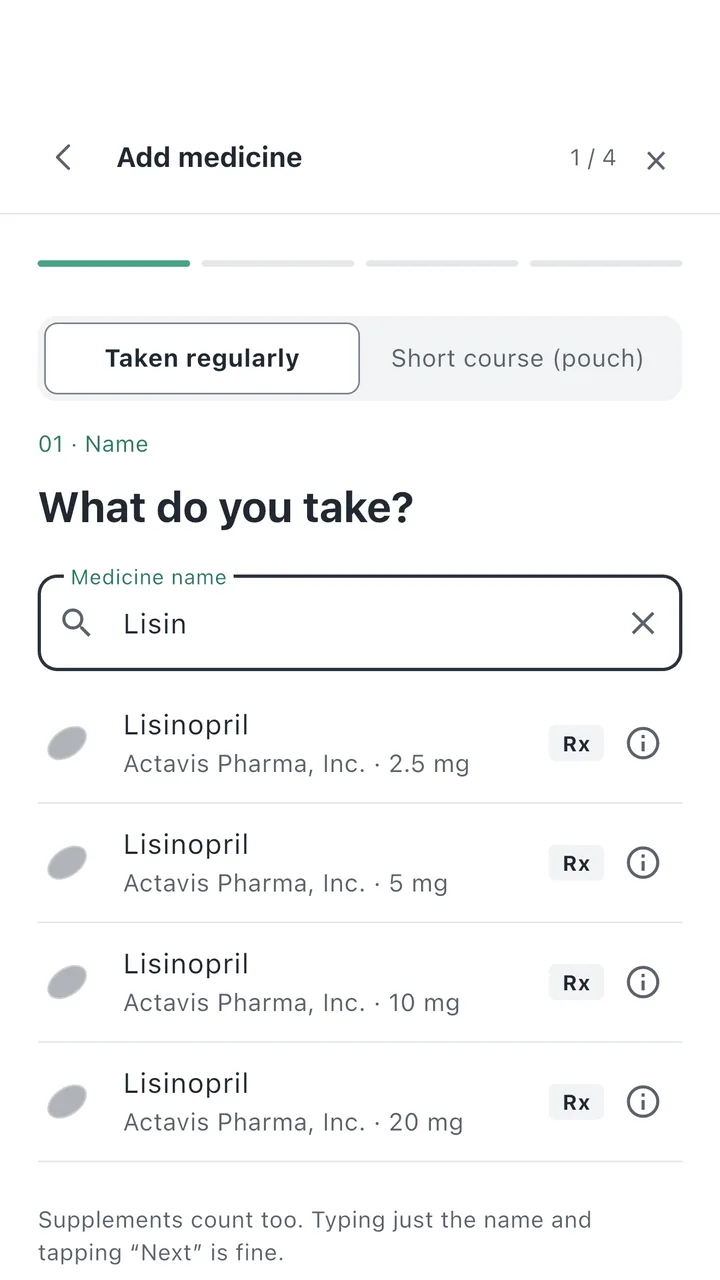
A few letters are enough
Search U.S. medicines from the FDA directory by name, or scan the barcode on the box or a photo of the label. For supplements, just type the name.
 Pillmo
A healthy habit, together
Find your medicine, get reminded, and keep a record of every dose.
Look after your
parents' medicine together with Pillmo.
Free on Android and iPhone · Family on Android
Easy to start, easy to keep up
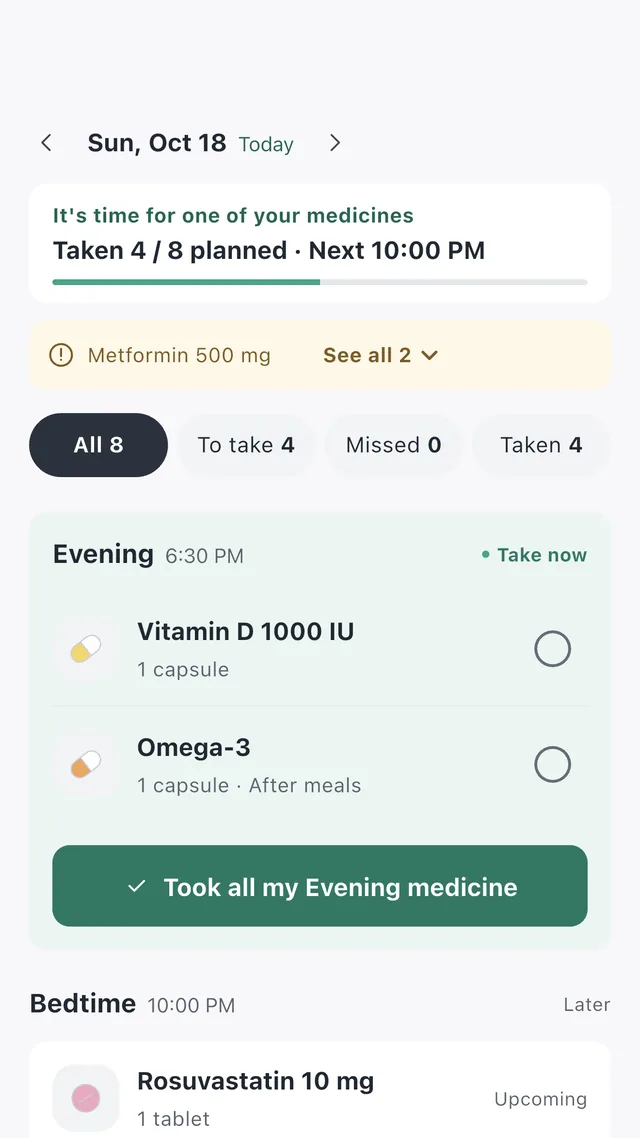
Simple when you add a medicine, when you take it, and when you look back.
Search U.S. medicines from the FDA directory by name, or scan the barcode on the box or a photo of the label. For supplements, just type the name.
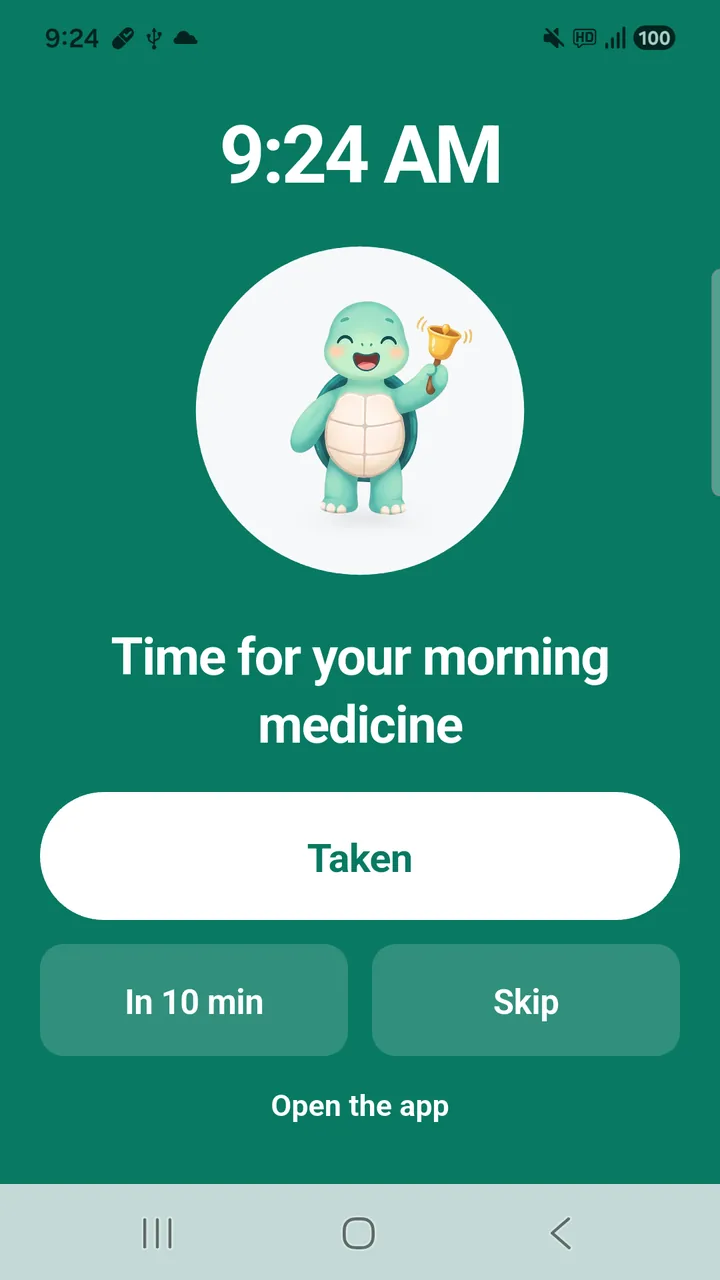
We remind you at the time you set, and once more if you haven't checked it off. On Android it can even ring full-screen like an alarm.
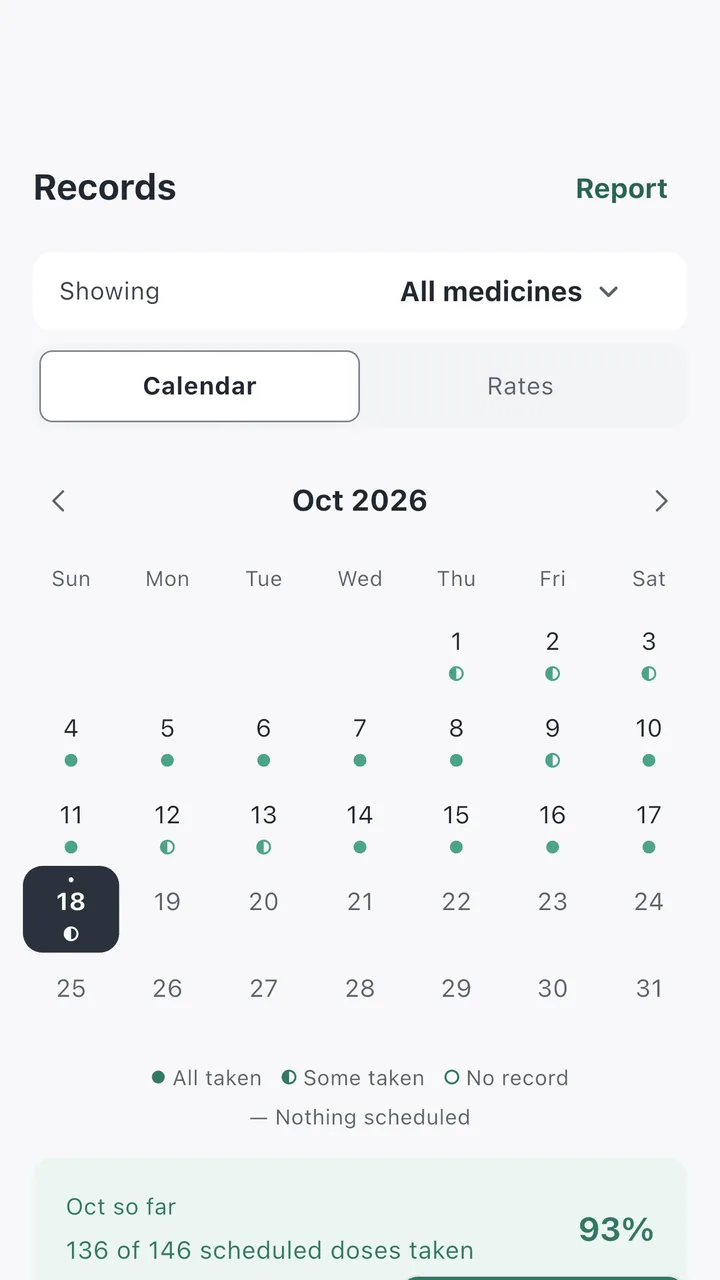
See every day on a calendar with your rates, and fill in a dose you forgot to log later.
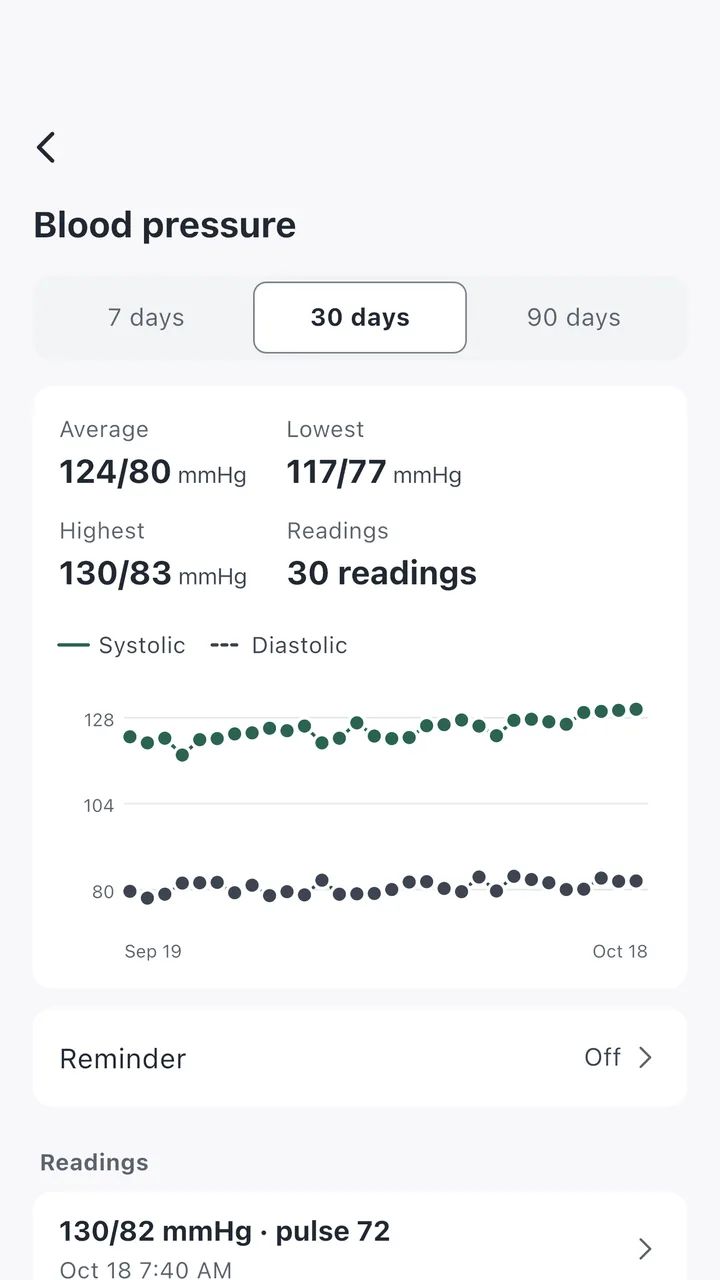
Log your readings in the Health tab and see 7, 30 and 90-day trends. Keep symptoms and how you feel in a journal.
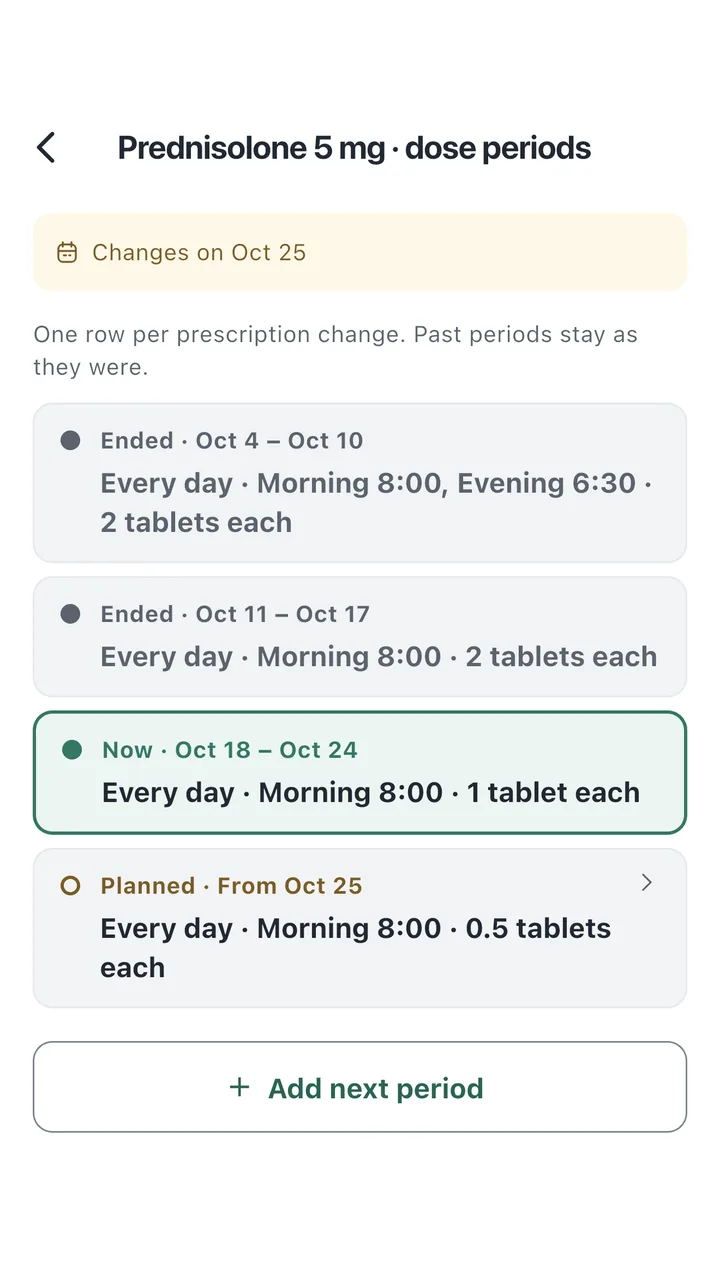
Set a different dose for each period of the same medicine. Past periods stay in your record.
Set up their medicine from your phone, see whether they've taken it, and remind them once more. Pillmo Premium · Android
How to get started with Family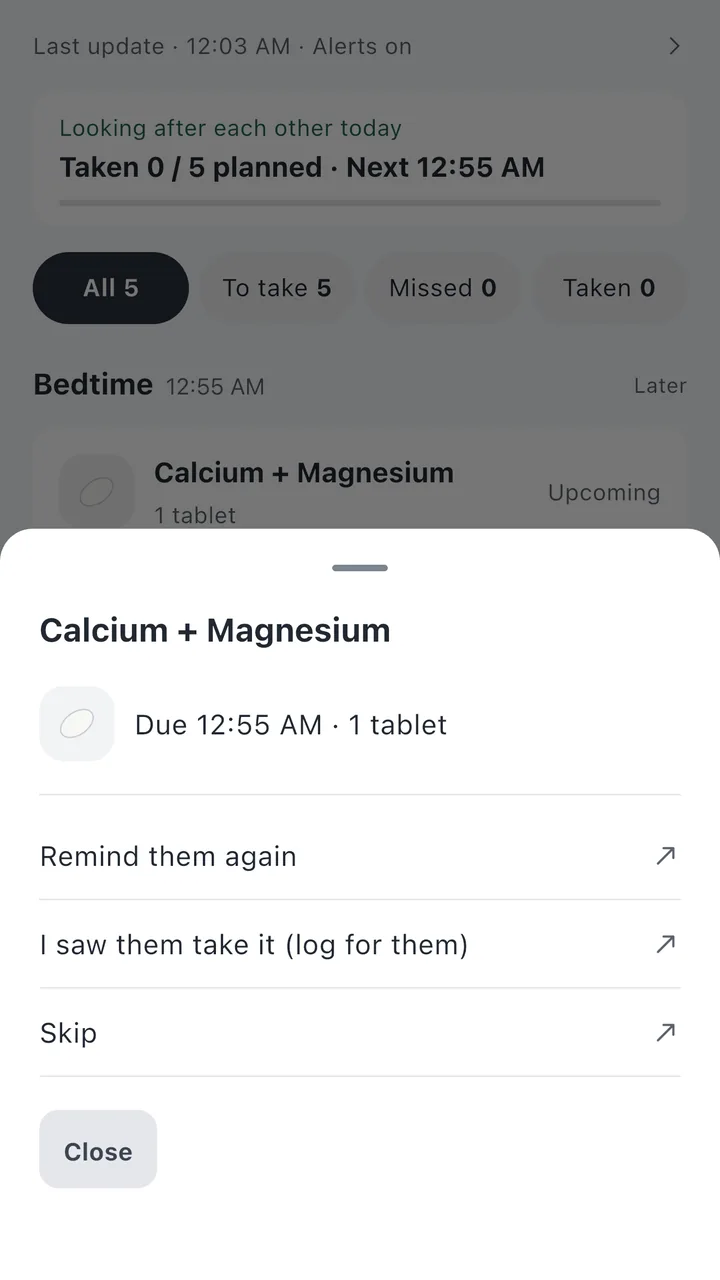
Medicine names and records in the screenshots are examples.
A little extra help
Enter how many you have left and we'll tell you before you run out.
Pick a period and medicines, then show the summary at your appointment.
See what's due and check it off without opening the app. (Android)
Export your records as CSV, and keep your medicines and schedules in a backup file.
Have a question?
Yes. Everything for your own medicines is free, with no limit on how many you add: reminders, records, rates, PDF reports, backup and widgets. Free users see a small banner ad at the bottom of some screens. On Android you can remove it with a one-time purchase (Remove ads), and Pillmo Premium removes it too.
Search covers U.S. medicines from the FDA National Drug Code Directory and Korean medicines from the Ministry of Food and Drug Safety. If a medicine or supplement doesn't come up, type its name to add it, then set the time and amount yourself.
Open Settings › Reminder check in the app. It checks notification permission, exact alarms, battery restrictions and sound settings, including Samsung's battery-saving options, and shows you how to fix them.
On your old phone, open Settings › My data and create a backup file. Install Pillmo on the new phone and restore from the backup. Photos you chose for your medicines aren't included in the backup, so pick them again.
With Pillmo Premium, a monthly or yearly subscription in Google Play, you can invite your parents or family, see their medicines and doses together, and set up their medicine from your phone. We let you know when they take or miss a dose. One subscription covers up to 6 people including you, and connected family don't pay. Ads disappear too, and you can cancel any time in Google Play. Google Play shows the price in your currency.
Start from Add family on the Profile tab. Choose who you're looking after and who checks off the medicines, then send the invite code. Your family member enters the code in Pillmo on their phone to connect. The guide walks you through it step by step with screenshots.
Yes, you can get it on the App Store. The iPhone app has medicine search, reminders, records and rates, health readings, PDF reports and backup. Family, home screen widgets and alarm-style ringing are on Android only for now.